# Changing Storage Type (Optimization)
### **What is this chapter about?**
In this chapter I'll help you optimize Dynmap. The default configuration is not the best, it can be improved and that's what we are doing.
#### **Changing Storage Provider**
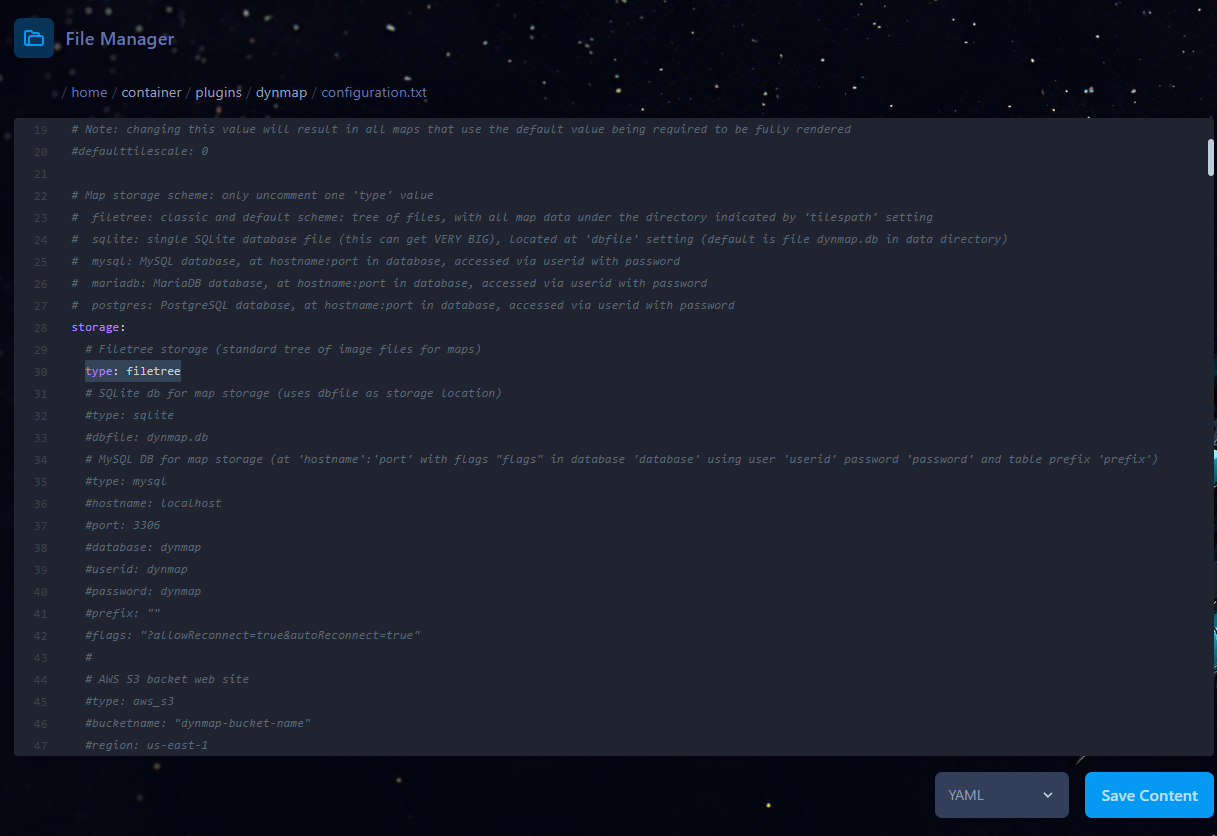
By default the storage type is set to `filetree` (As shown by the following image).
The configuration is located at `plugins/dynmap/configuration.txt`.
[](https://help.alienhost.net/uploads/images/gallery/2025-07/h4Rimage.png)
[](https://help.alienhost.net/uploads/images/gallery/2025-07/ckximage.png)
##### **SQLite**
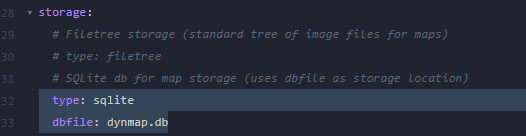
We would suggest you to switch over to SQLite if you were using the default `filetree` storage.
[](https://help.alienhost.net/uploads/images/gallery/2025-07/Fciimage.png)
- Change `type` to sqlite (case non-sensitive)
- Make sure `type` and `dbfile` are the only enabled settings (to comment lines out, put a `#` in front of the line.
- `dbfile` allows you to customize the database's name. Doesn't have any performance impact. The file's extension must be `.db`.
- When using **Fabric/Forge** you'll need to make use of [Kosmolot's SQLite mod](https://www.curseforge.com/minecraft/mc-mods/sqlite-jdbc).
##### **MySQL**
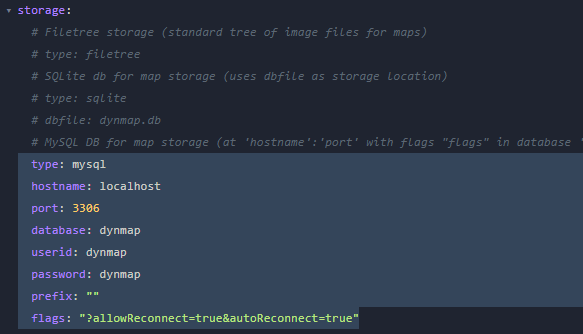
Another option is `MySQL` we don't really suggest you to use this for DynMap due to network latency and other external factors
[](https://help.alienhost.net/uploads/images/gallery/2025-07/XSximage.png)
- Change `type` to mysql (case non-sensitive)
- Change the other highlighted values to the ones generated. [Refer to this guide](https://help.alienhost.net/books/game-panel/page/databases).
- Now save the file and restart the server to have the new storage type applied.