You need the Fabric/Forge version on your client
You need an [extra port allocation](https://help.alienhost.net/books/panel/page/overview-KW5)
#### **2. Login & Place The Plugin** Log in the [panel](https://panel.alienhost.net/) 1. Go in the file manager 2. click on the folder named "plugins" [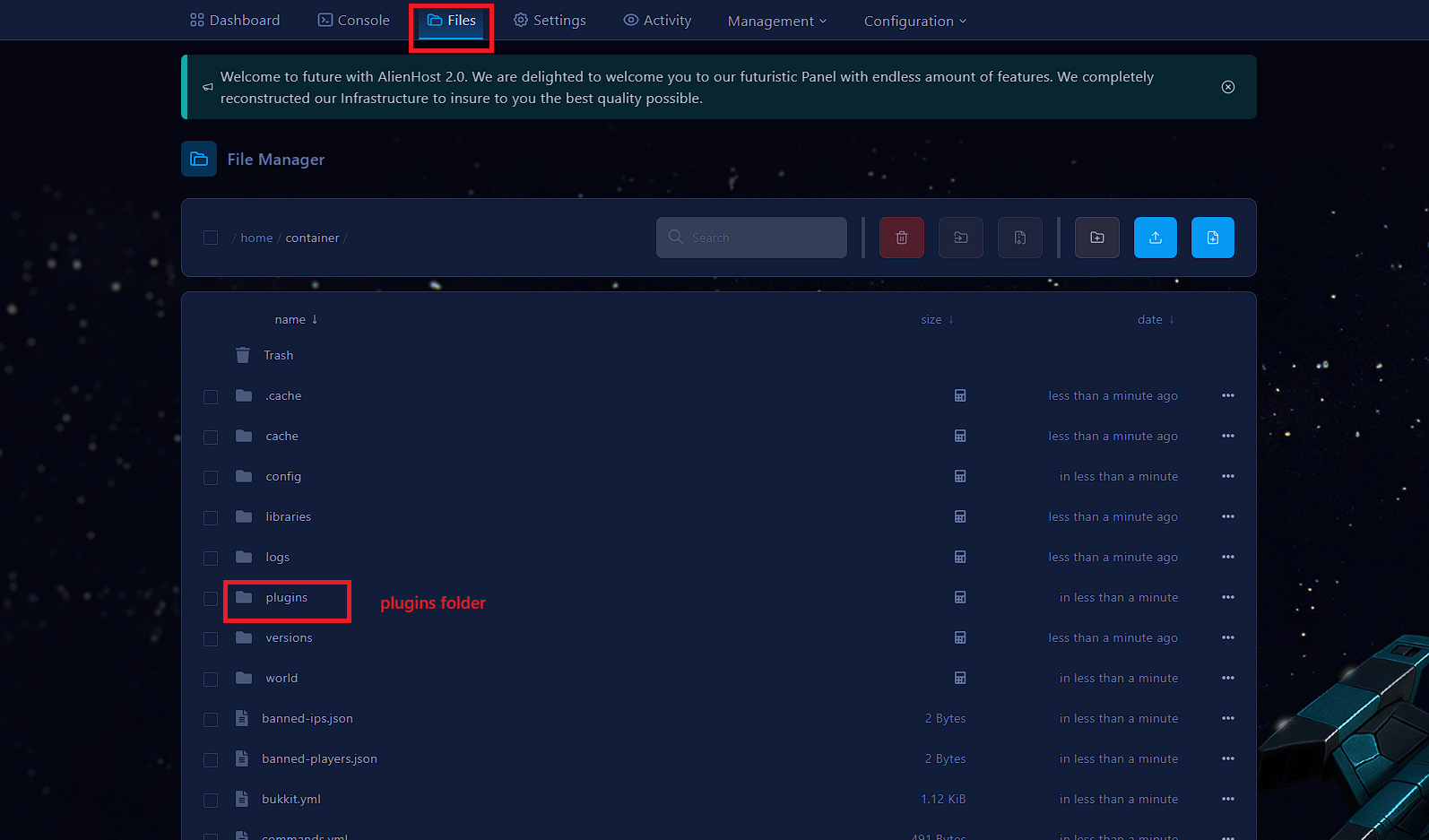](https://help.alienhost.net/uploads/images/gallery/2025-06/screenshot-2025-06-02-104522.png) 2a. Inside the plugins folder upload the file: [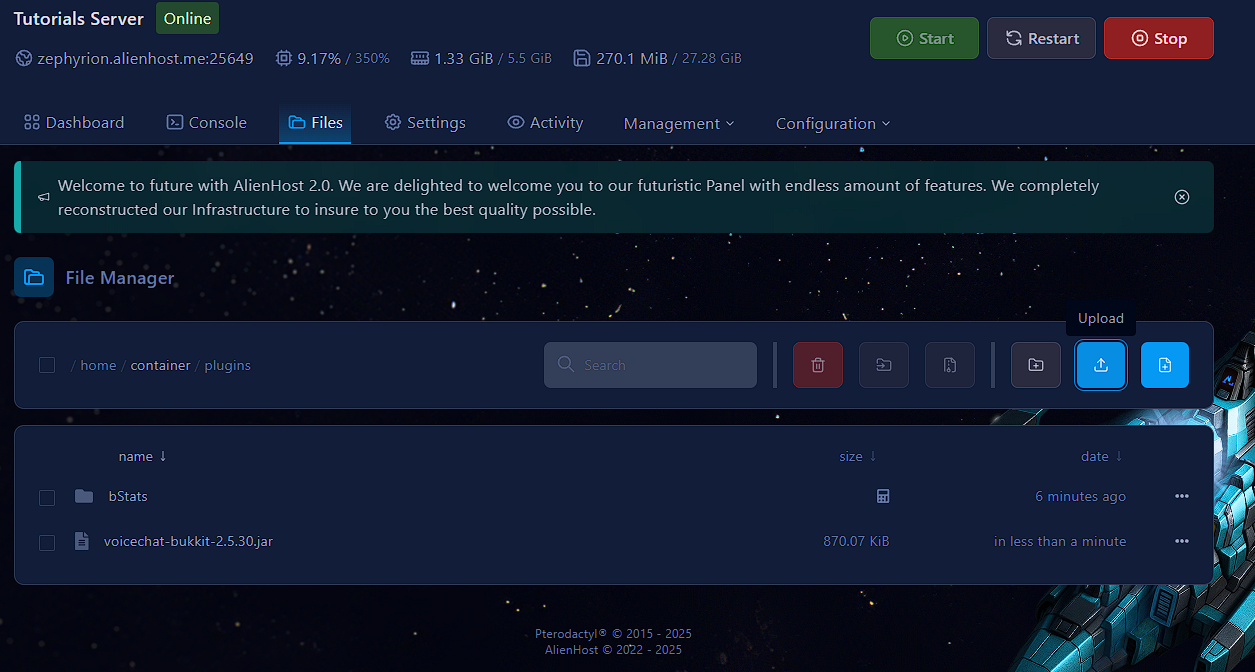](https://help.alienhost.net/uploads/images/gallery/2025-06/95Zimage.png) 2b. Restart the server in the console tab [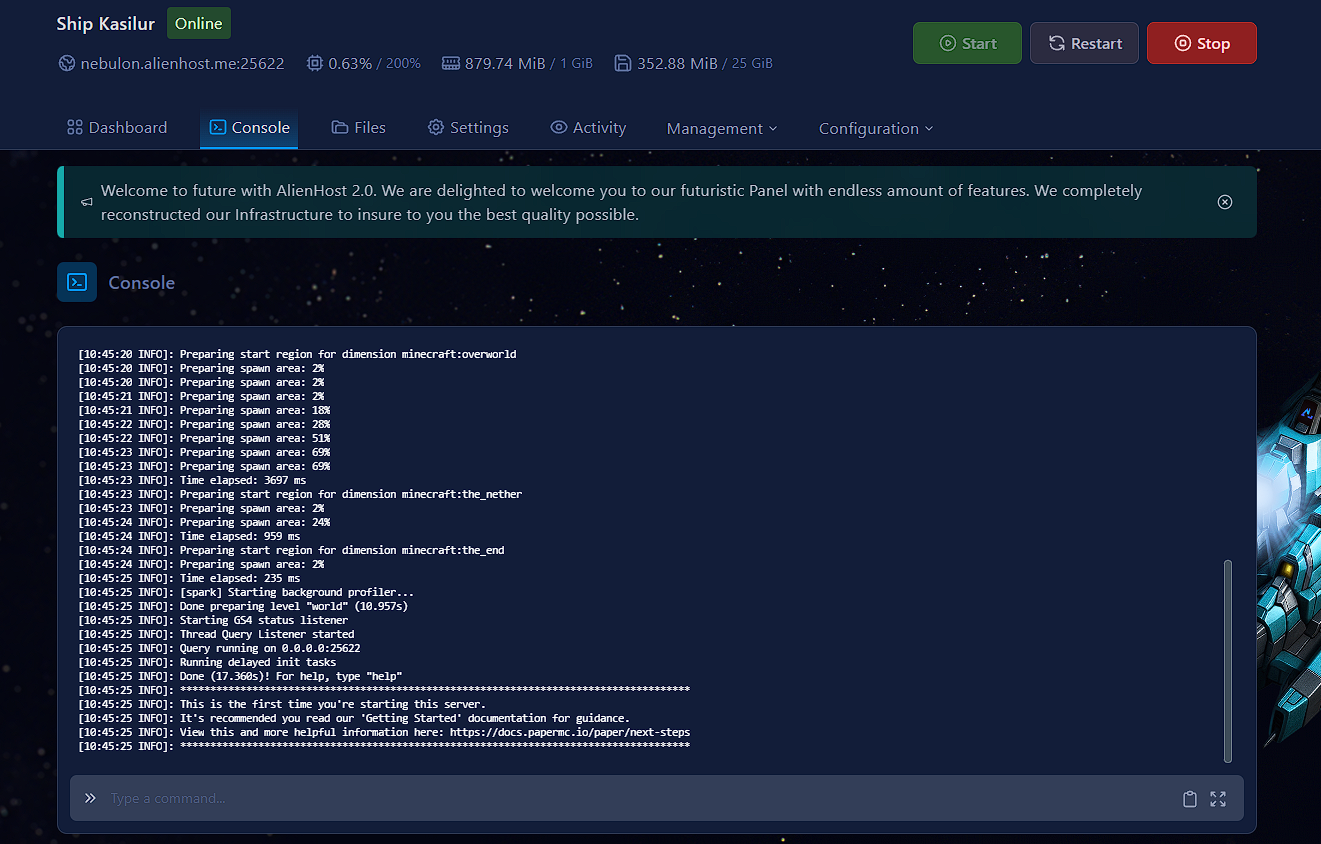](https://help.alienhost.net/uploads/images/gallery/2025-06/FWeimage.png) 2c. Return to the plugins folder as you did in step 2. #### **3. Configuring** In the plugins folder, you should now see a "voicechat" folder. Click on it [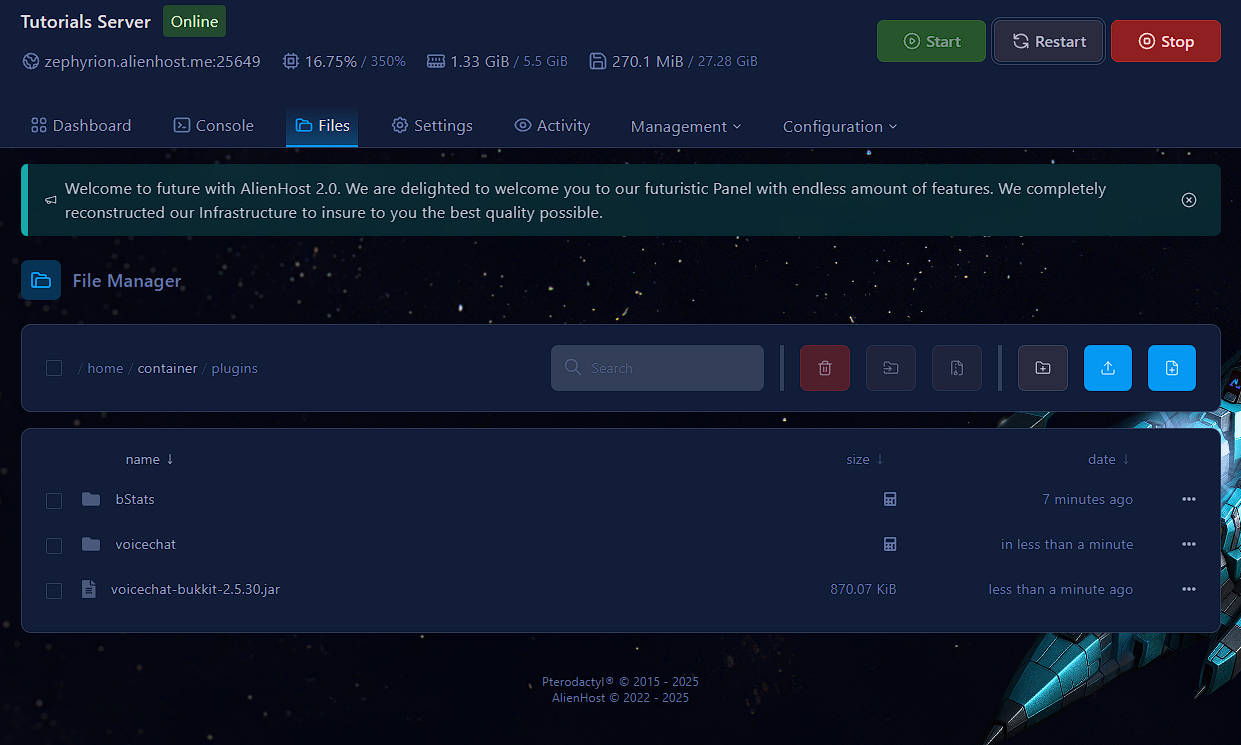](https://help.alienhost.net/uploads/images/gallery/2025-06/5K6image.png) Inside you'll find the file "voicechat-server.properties", click on it On line 5 you'll find the port variable and a predefined value (24454) change it to the [extra port allocation](https://help.alienhost.net/books/panel/page/overview-KW5) you made, change the port variable's value to your extra port.